 Skip to content

By the Arclight Dynamics team · Updated November 3, 2026 · 10 min read
Quick Answer: What Is FlashCut CNC?
FlashCut CNC is an industrial CAD, CAM and CNC control system that runs the whole job in one program: you draw or import the part, nest it on the sheet, set the cut, and run the table without ever exporting a file or opening a second application. It has been driving production cutting equipment for decades. On Arclight tables it is standard, fully licensed and pre-installed on the Arc Max X, Arc Max Unlimited, Arc Max Elite and Arc Pro Elite V3. Fabricators choose it for true shape nesting that gets more parts out of every sheet, Stingray torch height control with a cut wizard that sets parameters for you, Smart 360 hole cutting, bitmap-to-toolpath, and an interface a new operator can learn fast. There is no subscription. It is the control system serious fabricators ask for by name.
In This Guide
Why Does One Program for CAD, CAM and CNC Matter?
Because every handoff between programs is a place for a job to go wrong. On most CNC plasma tables you draw in one package, export a DXF, open it in a CAM program to nest and set lead-ins, export G-code, then open that in the machine controller and hope the post-processor got it right. Three interfaces, three places to make the mistake that ruins a sheet.
FlashCut CNC collapses that into one screen. Draw or import, nest, set the cut, press go. When a part needs a change, you change it and cut again without walking the file back through two other programs. For a shop running a few jobs a day it is convenient. For a shop running dozens of nests a day with more than one operator, it is the difference between a table that keeps up and one that waits on a computer.

What Does FlashCut CNC Do on an Arclight Table?
Here is what each headline feature means on the shop floor.
| FlashCut CNC feature | What it does | What it means for your shop |
|---|---|---|
| Powerful CAD | Drawing tools for parts, text and artwork; imports DXF and DWG, exports DXF; traces color, silhouette or centerline images | Draw simple parts at the table; bring in customer files without a conversion step |
| True shape nesting | Nests parts to their real outline, not a bounding box, with smart placement of lead-ins and lead-outs | More parts per sheet, fewer sheets bought, less skeleton to scrap |
| Stingray torch height control | Integrated THC that holds the torch at the right standoff through the cut | Consistent edge quality and longer consumable life |
| Cut wizard | Sets THC parameters automatically from material, thickness and consumables | A new operator gets a correct setup without memorizing a cut chart |
| Kerf-crossing detection | Recognizes when the torch crosses an existing cut and holds height instead of diving | No torch crashes on tight nests and remnant sheets |
| Smart 360 hole cutting | Controls speed and lead-in around a hole for the truest bolt holes air plasma can make | Fewer holes drilled or reamed after the cut |
| Bitmap-to-toolpath | Converts a logo, sketch or scan into a cut path | Art, signs and customer logos go from photo to steel without redrawing |
| Work-piece alignment | Squares the program to a plate that is sitting crooked on the slats | Load the sheet and go; less waste from mis-squared material |
| Plate sensing | Ohmic or pressure sensing to find the plate surface | Reliable pierce height on dirty or warped material |
| Accessory control | Drives the plate engraver, router and pipe and tube cutter from the same program | Add capability without learning new software |
Feature list from FlashCut CNC and Arclight product pages.
Why Does True Shape Nesting Matter on a CNC Plasma Table?
Because steel is the biggest recurring cost of running the table. Rectangular nesting puts an invisible box around every part and packs the boxes. True shape nesting packs the parts themselves, so an L-bracket’s empty corner holds a washer, a curved gusset tucks against another, and a ring’s center is cut into something useful. On parts with irregular outlines, the saving adds up sheet by sheet. When you also nest from the same screen you cut from, you tend to fill the remnant instead of putting it back on the rack. The bigger the table, the more this matters.
What Do Stingray Torch Height Control and the Cut Wizard Change?
They take the two settings that most often ruin a cut out of the operator’s hands. Torch height decides edge angle, dross and consumable life, and it has to be held through plate that warps as it heats. Stingray THC does that in real time. The cut wizard sets the THC parameters from the material, thickness and consumables you pick, so the right numbers come from the software instead of from a chart taped to the cabinet. Kerf-crossing detection stops the torch diving when it crosses a slot it already cut, which is where crashes happen on dense nests. The result is a new operator who produces the same edge as an experienced one, and a table that cuts consistently through the shift.

Which Shops Benefit Most From FlashCut CNC?
- Production shops running many nests a day, where file handoffs and setup minutes add up across a shift.
- Shops with several operators or turnover, because one interface is easier to teach and the cut wizard removes setup guesswork.
- Schools and training programs, for the same reason: a new operator can be running parts with minimal instruction.
- Sign, art and architectural shops, where bitmap-to-toolpath and true shape nesting pay off on every job.
- Shops cutting bolt-hole parts, where Smart 360 holes mean fewer secondary operations.
- Shops that will add accessories, since the engraver, router and tube cutter run from the same program.
If you are an owner-operator who already runs SheetCAM and cuts a few jobs a day, Arclight’s ArcCNC tables do the work for less. Our ArcCNC vs FlashCut CNC guide lays out the choice.
Which Arclight Tables Come With FlashCut CNC?
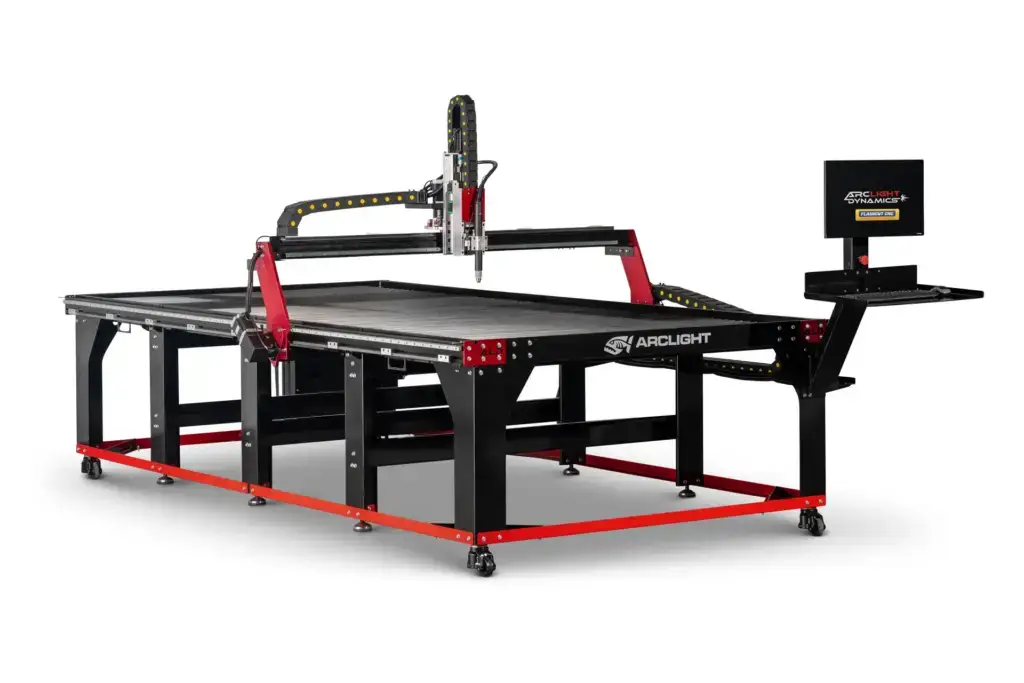
FlashCut CNC is standard, fully licensed and pre-installed on four Arclight tables. It is not a paid upgrade and it is not a subscription.
| Table | Built for | Sizes | 2026 price |
|---|---|---|---|
| Arc Max X | HD production cutting with Hypertherm® XPR170 or XPR300 | 5x10, 6x12 | $160,995 to $182,995 complete system |
| Arc Max Unlimited | Heavy plate up to 3 in, MAXPRO200 or oxy-fuel | 4x8, 5x10, 6x12 | $39,995 to $44,995 |
| Arc Max Elite | 1/2 in and up, all day, on the welded Arc Max frame | 5x5, 4x8, 5x10, 6x12 | $29,995 to $39,995 |
| Arc Pro Elite V3 | Sheet and light plate with FlashCut CNC control | 4x4, 5x5, 4x8, 5x10 | $23,995 to $29,995 |
Prices current as of November 2026. Arc Max X pricing includes the Hypertherm XPR power supply.
If you already own an Arclight table, FlashCut CNC is available as a retrofit: the Compact controller at $7,500 or the Pro-Series controller at $12,995, plus shipping. Owners who already run FlashCut CNC can add the Premium Upgrade for $2,995. And if you want to see the interface before you buy, Arclight offers a free FlashCut CNC software download on its FlashCut CNC page.
Optional packages can be added at purchase: Hypertherm ProNest LT ($2,923) for automatic nesting and a shape library, Design2Fab ($3,230) for HVAC fittings, VCarve Pro ($725) for routing design, and PipeFit Pro for pipe and tube work (ask for it on your quote).
Licensed to you. Nothing to renew.
The FlashCut CNC license that ships with your table is yours, installed on the system computer that comes with it, for the life of the table. Some manufacturers put cutting or CAM software on an annual plan. Arclight does not. Ask every supplier you compare: if I stop paying, does the table stop cutting?
How Long Does It Take to Learn FlashCut CNC?
Most operators are cutting parts the first day and comfortable within a couple of weeks, because the workflow is three steps in one window: CAD, CAM, cut. Arclight backs that with a complimentary half-day training session on a shop table in Bend, free video-call training, a written operations manual, and FlashCut University, a library of short training videos. Behind that is Arclight’s lifetime tech support: call, and you talk to someone who knows your table and the software on it.
FlashCut CNC: Frequently Asked Questions
What is FlashCut CNC?
An industrial control system that combines CAD, CAM and machine control in one program, with true shape nesting, Stingray torch height control, a cut wizard, Smart 360 hole cutting and bitmap-to-toolpath. It is standard on the Arc Max X, Arc Max Unlimited, Arc Max Elite and Arc Pro Elite V3.
Is FlashCut CNC a subscription?
No. On Arclight tables it ships fully licensed and pre-installed on the system computer, and there is nothing to renew for the life of the table.
What file types does FlashCut CNC import?
DXF and DWG drawings, plus image files it converts to toolpaths through color, silhouette or centerline tracing. Files from Fusion 360, AutoCAD, SolidWorks, CorelDRAW and Adobe Illustrator import as DXF.
Does FlashCut CNC work with Hypertherm plasma cutters?
Yes. It supports Hypertherm Powermax and MAXPRO systems as well as other leading brands, and the Arc Max X runs Hypertherm XPR X-Definition plasma under FlashCut CNC control.
Can I add FlashCut CNC to an Arclight table I already own?
Yes. Arclight sells FlashCut CNC controller retrofits for existing tables, the Compact at $7,500 and the Pro-Series at $12,995 plus shipping, and a $2,995 Premium Upgrade for tables that already run FlashCut CNC.
Does FlashCut CNC run the accessories?
Yes. The same program drives the plate engraver, the router kit and the pipe and tube cutter, so adding an accessory does not mean learning new software.
Keep Researching
- ArcCNC vs FlashCut CNC: Which Control System Should You Choose?. The decision between Arclight’s two controllers.
- What Software Does a CNC Plasma Table Need?. CAD, CAM and CNC explained, and what each table ships with.
- Choosing a CNC Plasma Table: The Complete Buyer’s Guide. Software is decision six of eight.
- Which CNC Plasma Table Accessories Should You Plan For?. The engraver, router and tube cutter FlashCut CNC drives.
- FlashCut CNC at Arclight. Features, the compare-systems table and the free download.
- Compare all Arclight CNC plasma tables. Which tables run FlashCut CNC, side by side.
Want FlashCut CNC on Your Table? Start With a Quote.
Tell us what you cut and how many people run the table. We’ll quote an Arc Pro Elite V3, Arc Max Elite, Arc Max Unlimited or Arc Max X with FlashCut CNC licensed and installed, or a retrofit for the table you already own.
Lifetime tech support that follows the table · 30-day satisfaction guarantee · $500 locks in your price and your build slot