 Skip to content
Choosing a CNC Plasma Table: The Complete Buyer's Guide
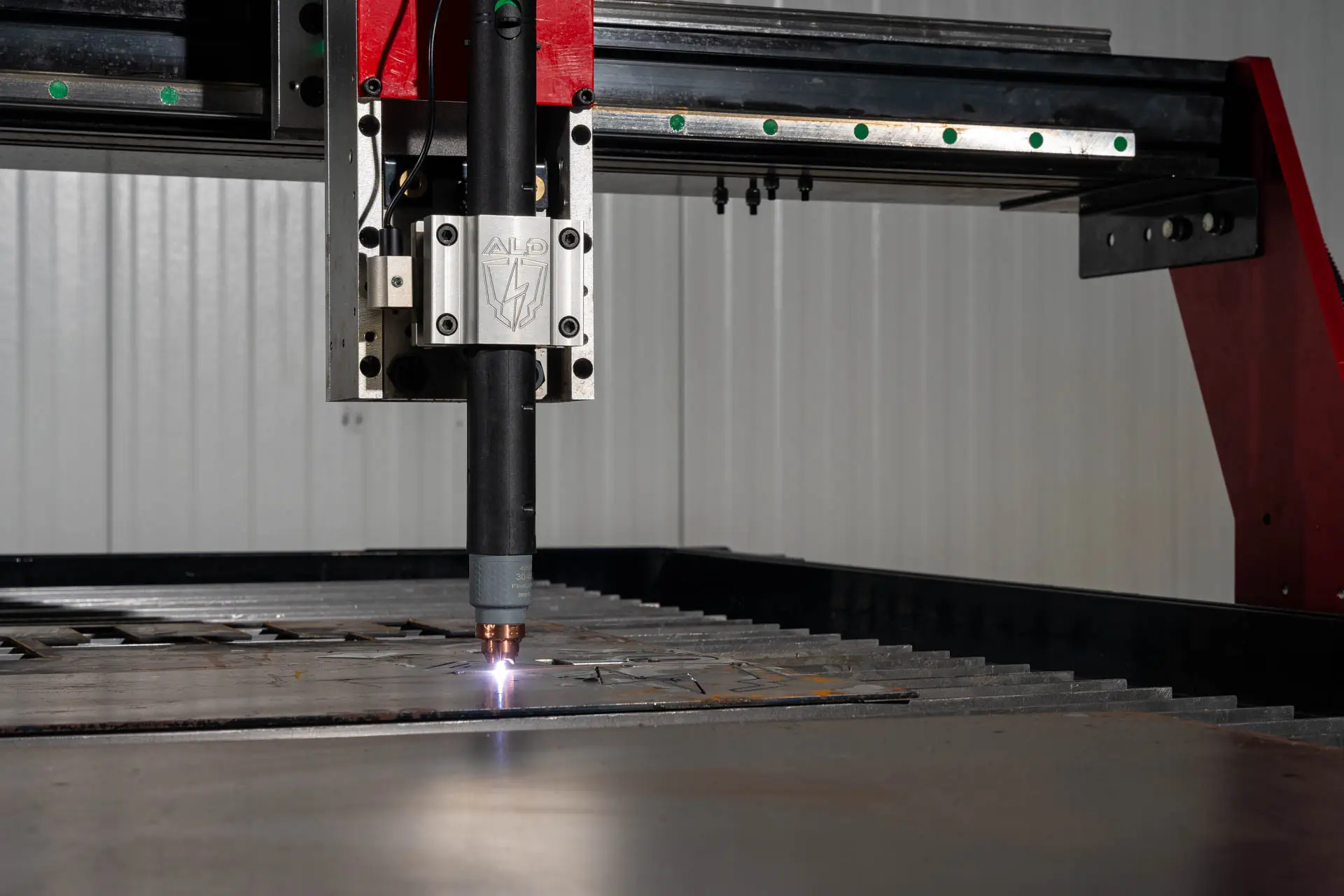
Quick Answer: How to Choose a CNC Plasma Table
Choosing a CNC plasma table comes down to eight decisions, and they have to be made in order: the sheet size you buy (which sets table size), the space and load side in your shop, the material thickness you cut daily (which sets plasma amperage), the plasma power supply, the CNC control system, the software you will live in every day, the air and electrical service the system needs (minimum 15 CFM at 90 PSI), and the warranty and support behind the machine. Get the first three right and the rest follow. Arclight CNC plasma tables run $13,995 to $182,995 in 2026, ship 98% assembled with digital torch height control, collision detection and water pan included, and come with fully licensed CAD, CAM and CNC software pre-installed — no subscription, ever.
In This Guide
What Do You Need to Decide Before Buying a CNC Plasma Table?
Eight decisions, in this order: table size, shop space and load side, material thickness, plasma power supply, CNC control system, software, air and electrical supply, and warranty and support. Size and thickness come first because they constrain everything downstream — a 5×10 table cutting 1-inch plate needs a very different power supply, air compressor and electrical service than a 4×4 cutting 16-gauge sign blanks. Work through the list in order and you will not have to re-decide anything.
| Decision | What it depends on | Where buyers get it wrong |
|---|---|---|
| 1. Table size | The sheet sizes you actually buy | Sizing for today's work instead of two years out |
| 2. Shop space & load side | Floor plan, material handling, 24" control-cabinet swing radius | Forgetting the cabinet swing and which side material loads from |
| 3. Material thickness | The thickest plate you cut regularly, not once | Buying amperage for the exception job instead of the daily one |
| 4. Plasma power supply | Thickness, material type and the electrical service you have | Assuming amperage only affects capacity — it drives cut speed too |
| 5. CNC control system | How your shop works and what software you want to run | Choosing on price rather than on daily workflow |
| 6. Software | CAD, CAM and CNC — all three are required, and whether you own them | Discovering after purchase that the software is a yearly subscription |
| 7. Air & electrical supply | 15 CFM at 90 PSI minimum, plus available phase and voltage | Undersizing the compressor; a single-phase shop and a three-phase-only cutter |
| 8. Warranty & support | Who answers the phone in year three | Comparing sticker price without comparing support |
What Size CNC Plasma Table Do You Need?
Buy the table that matches the sheet you buy. Arclight CNC plasma tables are available in 4×4, 5×5, 4×8, 5×10 and 6×12, plus a 4×2 benchtop option. Most working shops land on 4×8 or 5×10, because those cover a full standard sheet of steel with room to clamp and unload. If you are between two sizes, go bigger — the price difference now is far smaller than the cost of re-buying the table later.
| Table size | Best for | Available on |
|---|---|---|
| 4×2 | Benchtop work, learning, very tight spaces | ArcDroid CNC Plasma Robot |
| 4×4 | Metal art, signage, small parts, education labs | Arc Pro Ultra V3, Arc Pro Elite V3 |
| 5×5 | Small shops with limited floor space | Arc Pro Ultra V3, Arc Pro Elite V3, Arc Max Ultra, Arc Max Elite |
| 4×8 | A full standard sheet — the most common shop choice | Arc Pro Ultra V3, Arc Pro Elite V3, Arc Max Ultra, Arc Max Elite, Arc Max Unlimited |
| 5×10 | Full sheet with trim room; working and production shops | Every series, including Arc Max X |
| 6×12 | High-volume production, structural and plate work | Arc Max Ultra, Arc Max Elite, Arc Max Unlimited, Arc Max X |

How Much Shop Space Does a CNC Plasma Table Need?
Measure for three things, not one: the table’s overall dimensions, the control cabinet’s 24-inch swing radius, and the clear space you need to load and unload material. Material is normally loaded from the operator’s left. If your layout works better from the right, Arclight builds a Reverse Build at no charge — you just have to specify it with our sales team before the table goes into the build queue.
Plan the surrounding space at the same time. These all compete for the same floor:
- Material storage and staging
- The plasma cutter
- The air compressor, filter and dryer
- Secondary finishing tools
- Proximity to 120V and 220V service
- Electrical supply capacity for everything running at once
- Recommended earth grounding
How Thick Will You Cut — and Which Table Handles It?
Spec for the thickness you cut regularly, not the one-off job. Thin-gauge sheet and light plate are Arc Pro Ultra V3 territory. Once you are routinely at ½ inch and above, an Arc Max series table is the right platform. The Arc Max Unlimited is engineered to handle cutting thicknesses up to 3 inches, and the Arc Max X carries Hypertherm® XPR high-definition plasma for the heaviest production work and the best edge quality available. Maximum plate thickness also drives your plasma cutter choice — thicker material needs higher amperage.
| What you cut daily | Series | Why | 2026 price |
|---|---|---|---|
| Sheet up to ¼" — signage, brackets, art | Arc Pro Ultra V3 | NEMA 34 motors, planetary gearboxes, ball-screw Z axis | $13,995 – $19,995 |
| ¼"–½" daily on a heavier platform | Arc Max Ultra | Heavy welded steel frame and precision motion components | $20,295 – $27,995 |
| Sheet and light plate, FlashCut control | Arc Pro Elite V3 | Arc Pro platform running FlashCut CNC — CAD, CAM and CNC in one | $23,995 – $29,995 |
| ½" and up, cutting all day | Arc Max Elite | Industrial welded frame, aircraft-grade aluminum gantry, FlashCut CNC | $29,995 – $39,995 |
| Heavy plate up to 3" | Arc Max Unlimited | Engineered for Hypertherm MAXPRO200 or oxy-fuel | $39,995 – $44,995 |
| HD production, best possible edge quality | Arc Max X | Hypertherm XPR 170 or XPR 300 X-Definition plasma | $160,995 – $182,995 |
Prices current as of August 2026 and matched to our product pages. Arc Pro and Arc Max prices are for the table; the Arc Max X range is for the complete system including the Hypertherm XPR power supply.
Which Plasma Power Supply Should You Pair With Your Table?
Match the power supply to three things: material thickness, material type, and the electrical service you actually have. Amperage sets cut capacity — and cut speed rises with amperage, so a larger system is not only about thicker plate, it is about throughput. Arclight pairs every table with a Hypertherm® system, matched to your work at quote time. For the full breakdown — pierce vs. cut capacity, machine torches, CPC ports, and which system pairs with each Arclight model — see What Plasma Cutter Do You Need for a CNC Table?
| Hypertherm® system | Amperage | Pierce capacity (mild steel) | Cut capacity (mild steel) | Power |
|---|---|---|---|---|
| Powermax45 XP | 45 A | ½" | 1" | Single phase |
| Powermax65 SYNC | 65 A | ⅝" | 1" | Single or three phase |
| Powermax85 SYNC | 85 A | ¾" | 1¼" | Single or three phase |
| Powermax105 SYNC | 105 A | ⅞" | 1½" | Three phase only (200–600 V) |
| Powermax125 | 125 A | 1" | 1½" | Three phase only (480–600 V) |
| MAXPRO200 | 200 A | 1¼" | 2" | Three phase only (200–600 V) |
| XPR170 (Arc Max X) | 170 A | 1⅜" air shield / 1⁹⁄₁₆" argon-assist | 2⅜" severance | Three phase |
| XPR300 (Arc Max X) | 300 A | 1¾" O₂ / 2" argon-assist | 3⅛" severance | Three phase |
Pierce capacity is what the system will start a hole in unassisted — the number that matters most for production nesting. Severance capacity is the maximum it will part material from an edge, not a production cut.
Which CNC Control System Is Right for You?
Arclight tables run one of two control systems, and the difference is workflow, not capability. ArcCNC — Arclight’s own controller — runs the Arc Pro Ultra V3 and Arc Max Ultra, paired with SheetCAM, InkScape and QCAD. FlashCut CNC runs the Arc Pro Elite V3, Arc Max Elite, Arc Max Unlimited and Arc Max X, and it is the reason a lot of shops choose Arclight in the first place: one industrial-grade program that handles CAD, CAM and machine control end to end.
| Controller | On which tables | Software stack | Best for |
|---|---|---|---|
| ArcCNC | Arc Pro Ultra V3, Arc Max Ultra | SheetCAM, InkScape, QCAD + ArcCNC | Shops that want a straightforward, proven path from drawing to cut |
| FlashCut CNC | Arc Pro Elite V3, Arc Max Elite, Arc Max Unlimited, Arc Max X | FlashCut CNC — CAD, CAM and CNC integrated in one program | Production work, intricate parts, and shops that want one program end to end |
What Makes FlashCut CNC Worth Choosing?

FlashCut CNC collapses three programs into one. On most CNC plasma tables you draw in one package, nest and generate toolpaths in a second, then hand a file to a third program that actually drives the machine — three interfaces, three places for a job to go wrong. FlashCut does CAD, CAM and machine control in a single industrial-grade program that has been running production equipment for decades.
What that buys you day to day:
- True shape nesting — parts nest to their real outline instead of a bounding box, so you get more parts out of every sheet
- Bitmap-to-toolpath — turn a logo, a sketch or a scanned shape into a cut path without redrawing it
- DXF import and export — work straight from the files your customers and your engineers already send you
- One interface from drawing to cut — no exporting, re-importing or post-processor guesswork between steps
- Accessory-aware — the same program drives a plate engraver, router or pipe and tube cutter when you add one
- Fully licensed and pre-installed on the system computer when the table arrives
FlashCut CNC is standard on the Arc Pro Elite V3, Arc Max Elite, Arc Max Unlimited and Arc Max X — not a paid upgrade, and not a subscription.
What Software Comes With an Arclight CNC Plasma Table?
Every CNC system needs three kinds of software — CAD to design, CAM to nest and generate toolpaths, and CNC to run the table — and every Arclight table ships with all three fully licensed and pre-installed on the system computer.
- Arc Pro Ultra V3 and Arc Max Ultra: SheetCAM, InkScape, QCAD and ArcCNC
- Arc Pro Elite V3, Arc Max Elite, Arc Max Unlimited and Arc Max X: FlashCut CNC, with CAD, CAM and CNC integrated in one program
Optional packages you can add at purchase: ProNest (automatic nesting and shape library), Design2Fab (HVAC fittings), PipeFit Pro (pipe and tube cutting), VCarve Pro (routing design) and vector art libraries. Files from the software you already run will import — Fusion 360, AutoCAD, SolidWorks, ProNest, MasterCAM, CorelDRAW, Adobe Illustrator and more.
What Air Supply and Electrical Power Does a CNC Plasma Table Need?
Plan on a minimum of 15 CFM at 90 PSI — in practice a 60 to 80 gallon tank with a 5 HP motor — plus filtration and drying. Air filtration is the single most effective step you can take to improve cut quality, extend consumable life and protect your plasma cutter. Refrigerated and desiccant drying systems go further still, in some cases removing 100% of the moisture in your air lines.
On the electrical side, add up the table, the cutter and the compressor before you order — the most common late surprise is a single-phase shop and a three-phase-only power supply.
| Component | Typical requirement |
|---|---|
| CNC plasma table | 120 V, 15 A |
| Plasma cutter | Varies with amperage — 105 A and above are three-phase only |
| Air compressor | 5 HP typical for 15 CFM at 90 PSI; 60–80 gallon tank |
| Grounding | Dedicated earth grounding is recommended for every install |
Which Accessories and Shop Tools Should You Plan For?
A CNC plasma table is a platform, not a single-purpose machine — and Arclight offers the widest range of accessories in the industry. Most owners add at least one within the first year, so it is worth knowing what the table will accept, and what will drive it, before you buy. On FlashCut-equipped tables the same program that cuts your plate also runs the engraver, router or tube cutter, so adding capability does not mean learning new software.
- Plate engraver — part numbers, bend lines, logos
- Rotary pipe and tube cutter
- Router — wood, plastic and non-conductive material
- Auto tracer
- Logic board digitizing system
Then plan for what happens after the cut. Most plasma-cut parts need some secondary processing, which can be as simple as a wire cup and flap disc or as automated as:
- Piranha ironworkers
- EZ Sander belt sanding and surface finishing
- Vortex tumble blasting cabinet
- Kral’s Parts Tumbler (TDP)
Finally, budget for consumables. Nozzles, electrodes, swirl rings, shields and retaining caps are wear parts and should live on a shelf in your shop, not on a purchase order. Green Guard Rust Blocker is the most-reordered item in our store, and same-day shipping on in-stock parts means a worn consumable never becomes a lost day.
What Warranty and Support Should You Expect?
Expect three years on motion control and support that outlives the sale. Arclight warrants motion control components for 3 years where most manufacturers warrant a system for 0 to 24 months, and lifetime tech support follows the table, not the buyer — if you sell the machine, the next owner gets the same support you had.
- Arc Pro Ultra V3 and Arc Max Ultra: 3-year warranty on motion control components
- FlashCut-equipped tables (Arc Pro Elite V3, Arc Max Elite, Arc Max Unlimited, Arc Max X): 1-year manufacturer warranty on the controller, cabling and motors; 2 years on other electronics such as limit switches, E-stop switches and separate cables; 3 years on the included system computer; 24 months on monitor, keyboard and mouse
- Warranty extensions of 1 or 2 additional years are available for Arc Pro and Arc Max systems, new and pre-owned
Behind the warranty: more support technicians than any other light-industrial CNC plasma manufacturer, same-day shipping on in-stock replacement parts, and a 30-day satisfaction guarantee. Arclight has been engineering and building CNC plasma tables in Bend, Oregon since 2010, and the people who answer the phone are the people who know the machines.
Which Arclight CNC Plasma Table Fits Your Shop?
Here is the whole line in one view. Every table ships 98% assembled — most owners are cutting within two hours of delivery — with Advanced Digital Torch Height Control, collision detection, a breakaway torch mount, water pan and licensed software included as standard.
| Series | Control & software | Sizes | 2026 price |
|---|---|---|---|
| Arc Pro Ultra V3 | ArcCNC + SheetCAM, InkScape, QCAD | 4×4, 5×5, 4×8, 5×10 | $13,995 – $19,995 |
| Arc Max Ultra | ArcCNC + SheetCAM, InkScape, QCAD | 5×5, 4×8, 5×10, 6×12 | $20,295 – $27,995 |
| Arc Pro Elite V3 | FlashCut CNC | 4×4, 5×5, 4×8, 5×10 | $23,995 – $29,995 |
| Arc Max Elite | FlashCut CNC | 5×5, 4×8, 5×10, 6×12 | $29,995 – $39,995 |
| Arc Max Unlimited | FlashCut CNC | 4×8, 5×10, 6×12 | $39,995 – $44,995 |
| Arc Max X | FlashCut CNC | 5×10, 6×12 | $160,995 – $182,995 |
Arc Max X pricing is for the complete system including the Hypertherm XPR power supply. Compare every Arclight CNC plasma table side by side ›

Choosing a CNC Plasma Table: Frequently Asked Questions
What size CNC plasma table should I buy?
Match the table to the sheets you buy. Most working shops land on 4×8 or 5×10 because those handle a full standard sheet of steel. Choose 4×4 or 5×5 for metal art, signage and tight spaces, and 6×12 for production volume. When in doubt, size up — upgrading later costs far more than the difference now.
How thick can a CNC plasma table cut?
It depends on the plasma power supply, not the table. A 45-amp system pierces ½" and cuts 1" mild steel; a 200-amp MAXPRO200 pierces 1¼" and cuts 2". Arclight’s Arc Max Unlimited is engineered for cutting thicknesses up to 3 inches, and the Arc Max X runs Hypertherm XPR high-definition plasma at 170 or 300 amps.
Do Arclight tables require a software subscription?
No. Every Arclight CNC plasma table ships with CAD, CAM and CNC software fully licensed and pre-installed on the system computer, and there is no subscription to keep the machine cutting. Some manufacturers put their cutting or CAM software on an annual plan — always ask a supplier whether the machine stops cutting if you stop paying.
What is FlashCut CNC and which tables use it?
FlashCut CNC is an industrial control package that combines CAD, CAM and machine control in a single program, with true shape nesting, bitmap-to-toolpath and DXF import/export. It is standard on the Arc Pro Elite V3, Arc Max Elite, Arc Max Unlimited and Arc Max X, fully licensed and pre-installed. It also drives accessories such as a plate engraver, router or pipe cutter, so adding capability does not mean learning new software.
What's the difference between ArcCNC and FlashCut CNC?
ArcCNC is Arclight’s own controller, running on the Arc Pro Ultra V3 and Arc Max Ultra with SheetCAM, InkScape and QCAD — a straightforward, proven path from drawing to cut. FlashCut CNC runs on the Arc Pro Elite V3, Arc Max Elite, Arc Max Unlimited and Arc Max X and integrates CAD, CAM and CNC in one industrial program. Both are fully licensed and pre-installed, with no subscription.
What air compressor do I need for a CNC plasma table?
A minimum of 15 CFM at 90 PSI, which in practice means a 60 to 80 gallon tank with a 5 HP motor. Add filtration — it is the single most effective step for improving cut quality and extending consumable life — and a refrigerated or desiccant dryer if your shop air carries moisture.
What electrical service does a CNC plasma table need?
The table itself runs on 120 V, 15 A. The plasma cutter is what drives your electrical requirement: systems at 105 amps and above are three-phase only. Add the air compressor’s draw as well, and confirm your available service before ordering.
How much does a CNC plasma table cost?
Arclight CNC plasma tables run $13,995 to $182,995 in 2026, depending on size, construction and cutting power. Most small fabrication shops spend $16,000 to $30,000. See the full breakdown in our CNC plasma table pricing guide.
What warranty comes with an Arclight CNC plasma table?
Three years on motion control components, where most manufacturers warrant 0 to 24 months. FlashCut-equipped tables carry 1 year on the controller, cabling and motors, 2 years on other electronics, and 3 years on the system computer. Lifetime tech support follows the table rather than the buyer, and every table carries a 30-day satisfaction guarantee.
Keep Researching
- How to Choose the Right CNC Plasma Table for Your Business — the shorter nine-factor walkthrough if you want the decision, not the spec sheet
- What Is the Best CNC Plasma Table for a Small Shop? — the straight recommendation by shop size, material, and power
- What Plasma Cutter Do You Need for a CNC Table? — amperage, pierce capacity, and the Hypertherm pairing for every Arclight table
- How Much Does a CNC Plasma Table Cost? — real 2026 prices for every series and what each one includes
- Compare all Arclight CNC plasma tables — every series, side by side
- CNC Plasma Cutting Tips — how to get the best cut quality from day one
- The Arclight learning library — buying guides, comparisons, how-to and maintenance
- CNC plasma tables by industry — see what shops like yours run
Tell Us What You Cut — We'll Spec the Whole System
Answer a few questions about your work and we’ll quote the exact table, size, plasma power supply, software and accessories for the job — transparent pricing, no hidden line items.
$500 locks in your price and your build slot · 30-day satisfaction guarantee · Lifetime tech support that follows the table